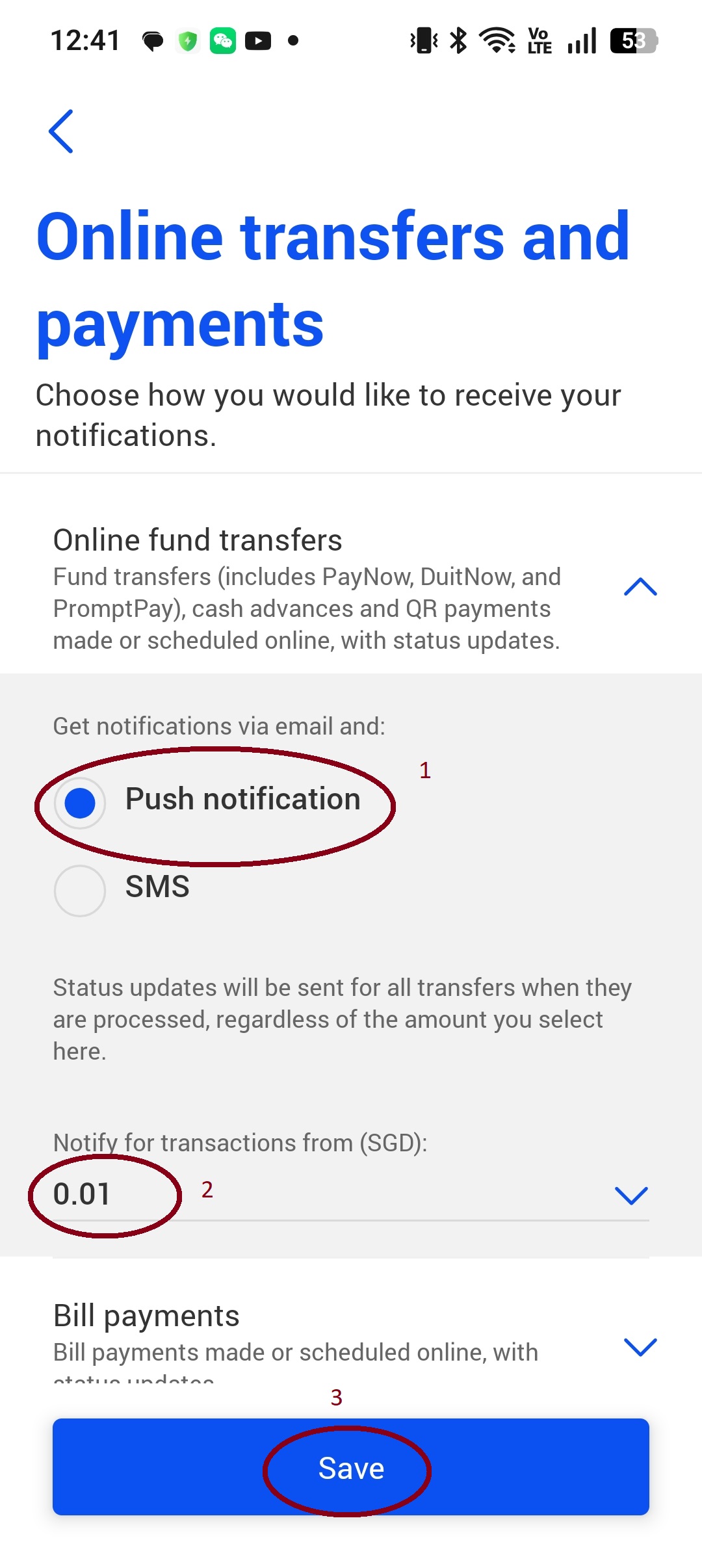
设置收款通知Payment Notification Setup
在 UOB App 内开启 PayNow 到账推送通知,共 4 步。 Enable PayNow payment push notifications in the UOB app — 4 steps.
1
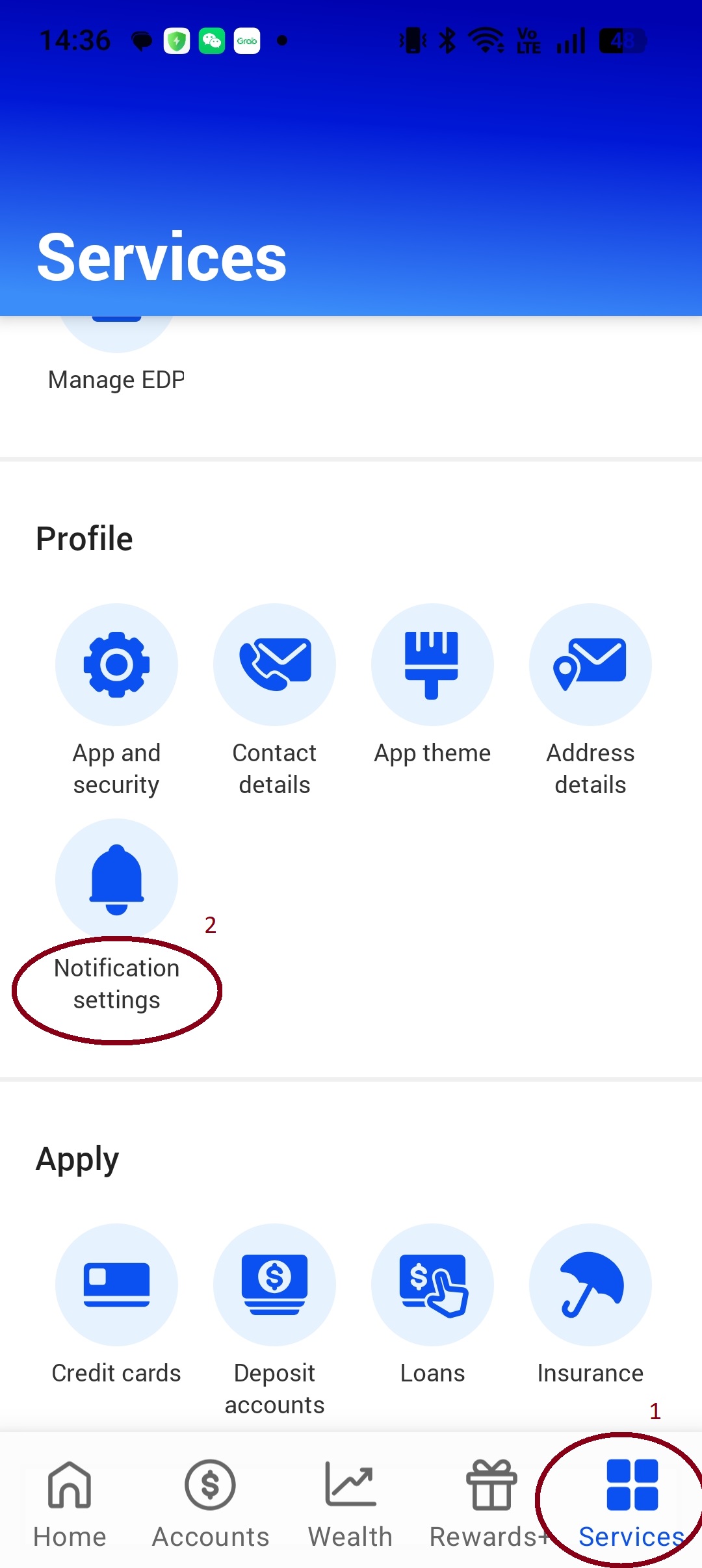
打开 UOB App,进入设置Open UOB app and go to Settings
2
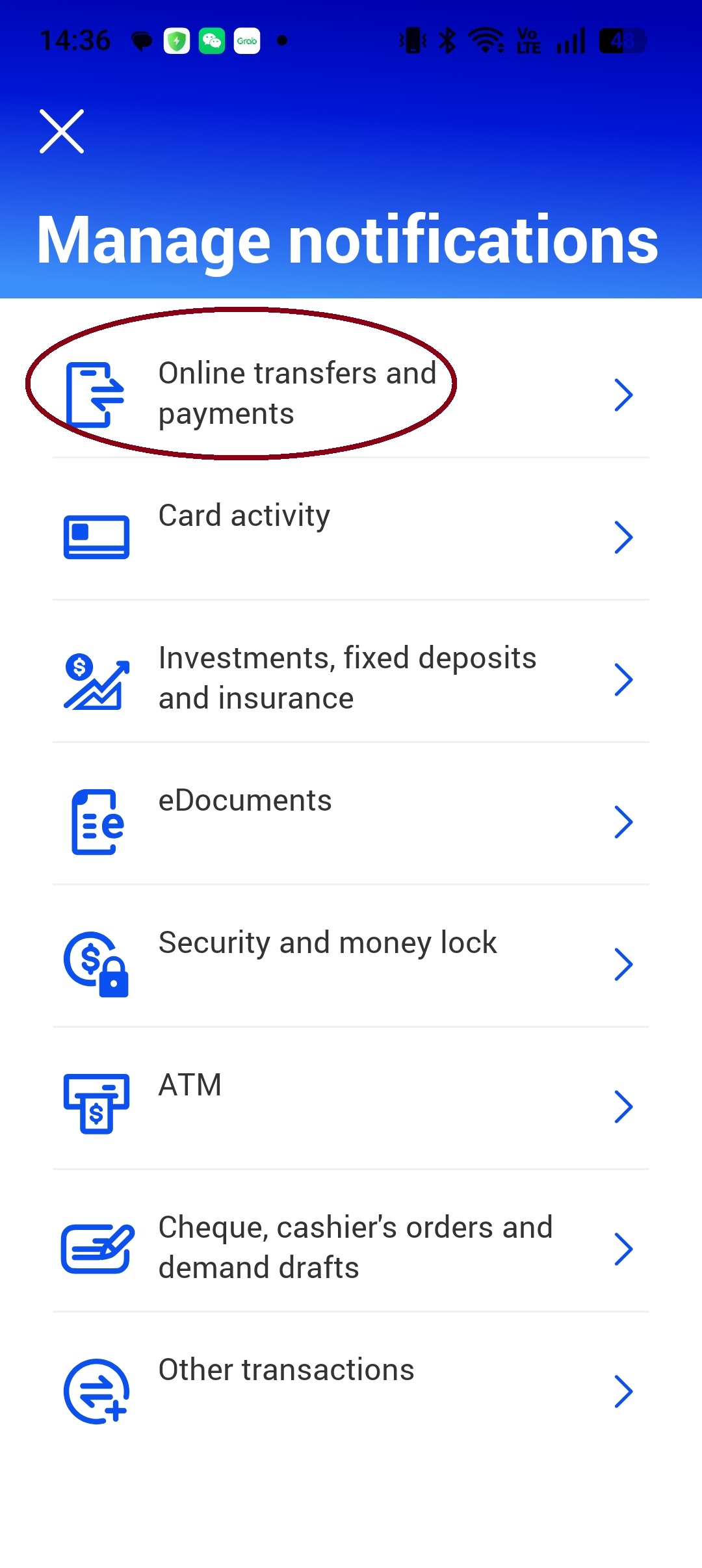
找到通知设置Find Notification Settings
3
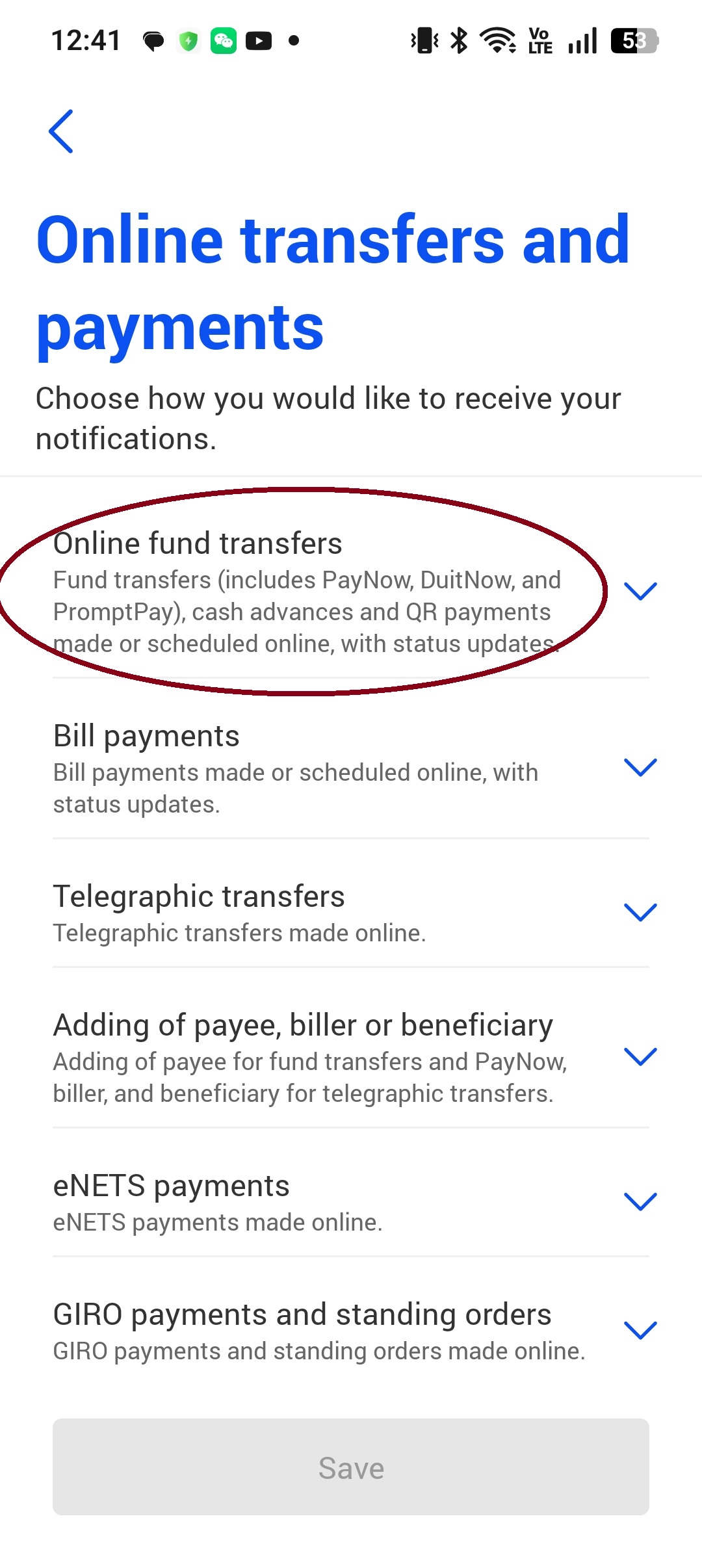
开启到账通知Enable payment notifications
4
确认开启成功Confirm notifications are enabled