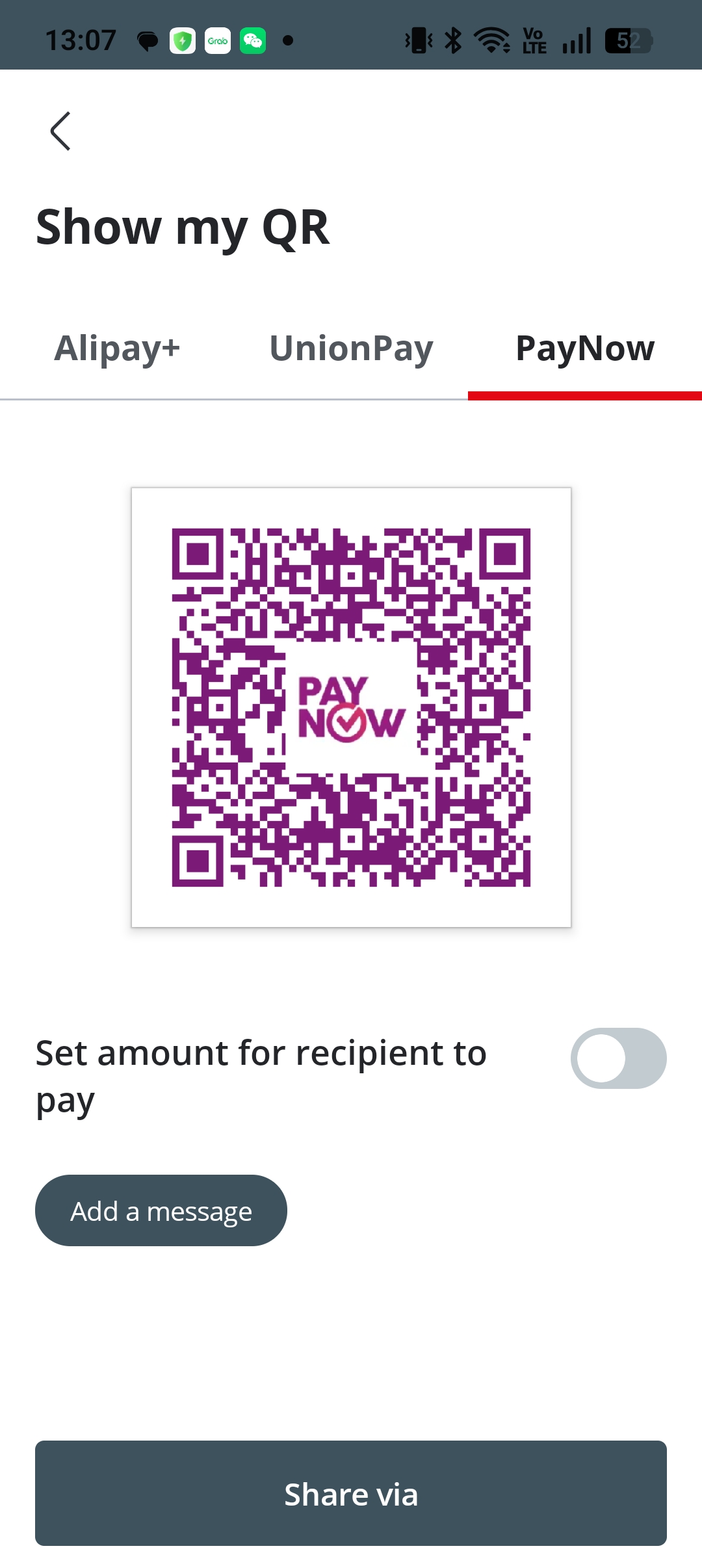
打印收款 QRPrint PayNow QR
在 OCBC App 内生成 PayNow 收款二维码并打印,共 3 步。 Generate and print your PayNow QR code in the OCBC app — 3 steps.
1
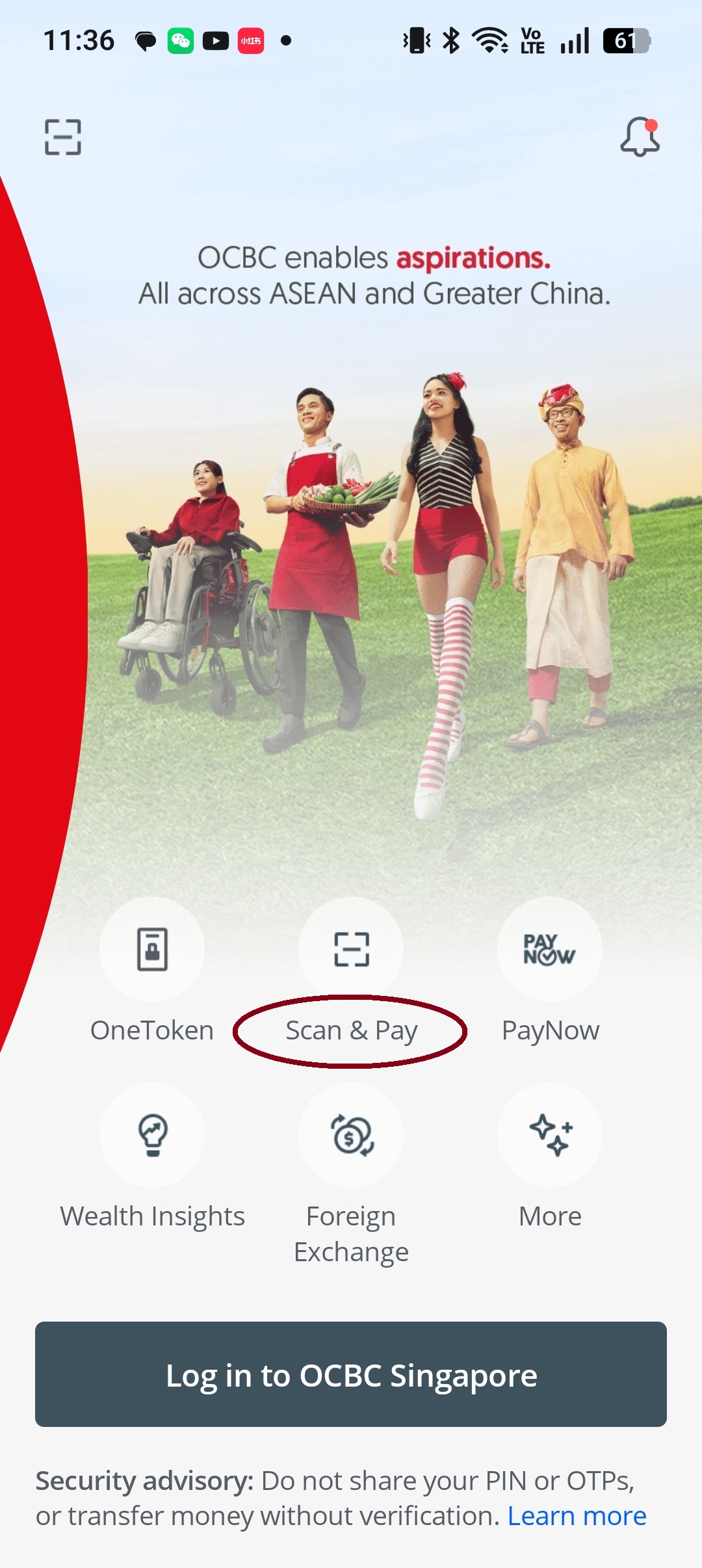
打开 OCBC App,点击"Scan & Pay"并输入密码Open OCBC app, tap "Scan & Pay" and enter your PIN
2
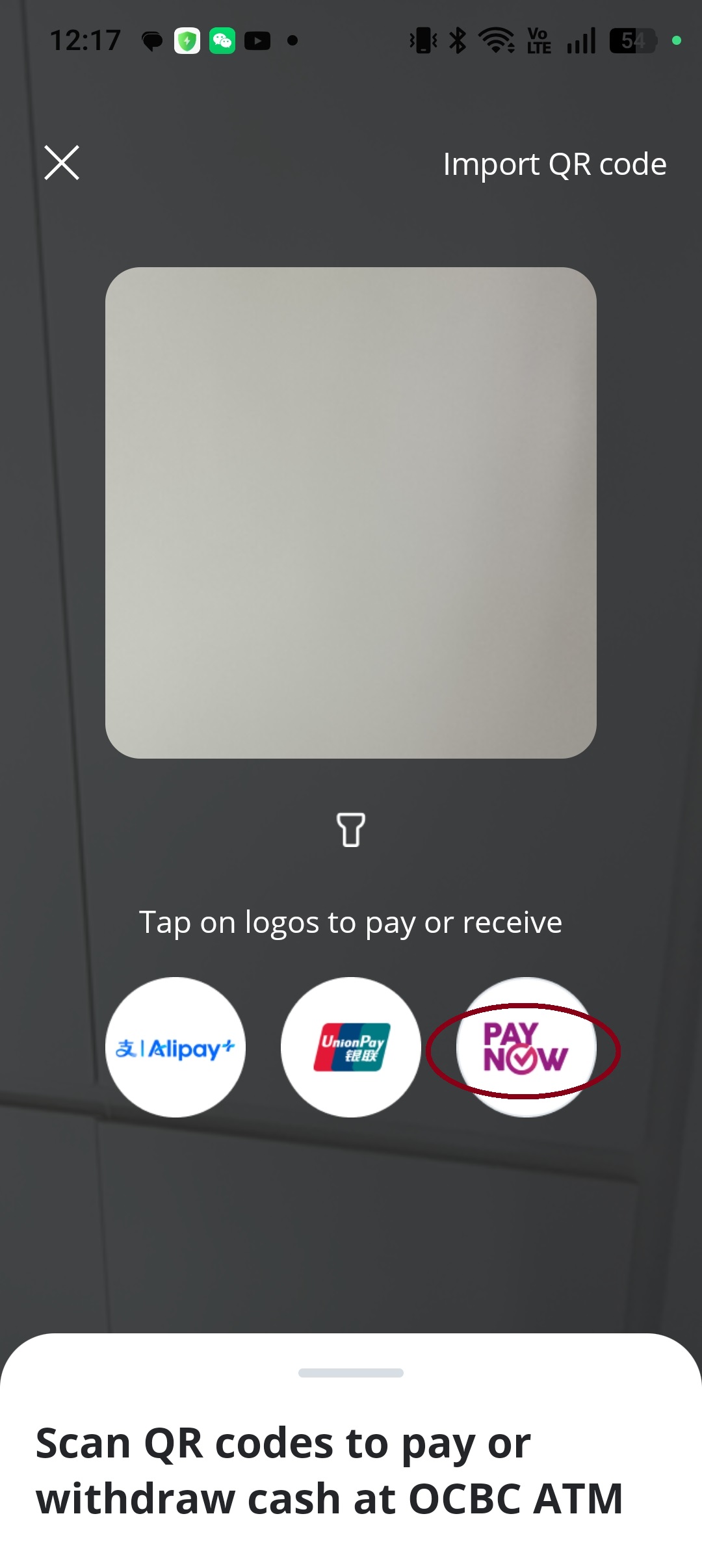
点击右下方的 PayNowTap PayNow at the bottom right
3
保存或打印二维码Save or print the QR code